The notice
The marking is for tools. The notice is for people: a short line such as "Created using generative AI" that a reader sees without any tool. The package keeps the two apart on purpose, so a page can carry either one without the other, and you decide where the notice goes.
<x-ai-content-marking::notice :marking="$description->marking" />
renders
<p class="ai-content-marking-notice">Created using generative AI</p>
Where it appears
The notice renders in a p unless the configuration or the component asks for another element.
as picks one for a single notice, and the attributes you pass are kept, with your classes added
to ai-content-marking-notice:
<x-ai-content-marking::notice :marking="$marking" as="small" class="text-muted" />
The element is one of p, span, small, div, figcaption and aside. Any other element
throws an InvalidArgumentException, whether the component asks for it or the configuration names
it.
How it looks
The package renders the element, its class and the words, and ships no stylesheet, so the notice looks like the rest of your page. The samples below give it this CSS:
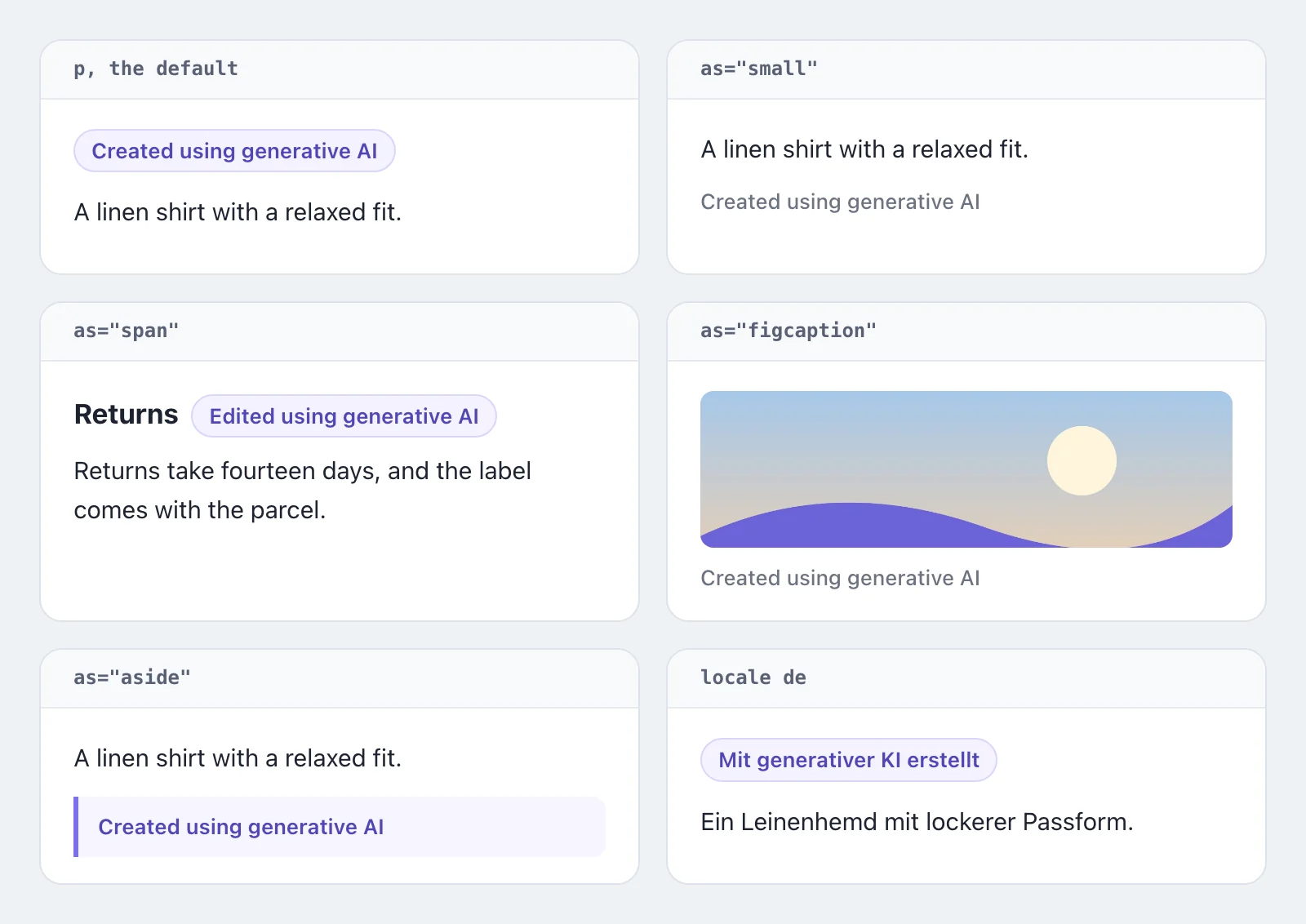
.ai-content-marking-notice {
  margin: 0 0 12px;
  color: #4f46b8;
  font-size: 13px;
  font-weight: 600;
}

p.ai-content-marking-notice,
span.ai-content-marking-notice {
  display: inline-block;
  padding: 2px 10px;
  border: 1px solid #d9d5fb;
  border-radius: 999px;
  background: #f4f2ff;
}

span.ai-content-marking-notice {
  margin: 0 0 0 8px;
  vertical-align: middle;
}

small.ai-content-marking-notice,
figcaption.ai-content-marking-notice {
  display: block;
  margin: 8px 0 0;
  color: #6b7280;
  font-weight: 500;
}

aside.ai-content-marking-notice {
  margin: 12px 0 0;
  padding: 8px 12px;
  border-left: 3px solid #7c6ff0;
  border-radius: 0 8px 8px 0;
  background: #f6f5ff;
}
The acronym alone
Beside a heading or a name, the acronym can stand where the sentence would. The
label renders it alone with beside="none", and assistive technology
reads the sentence of the notice as its name. explain makes the acronym a button that opens the
sentence, for a reader who does not know what it stands for:
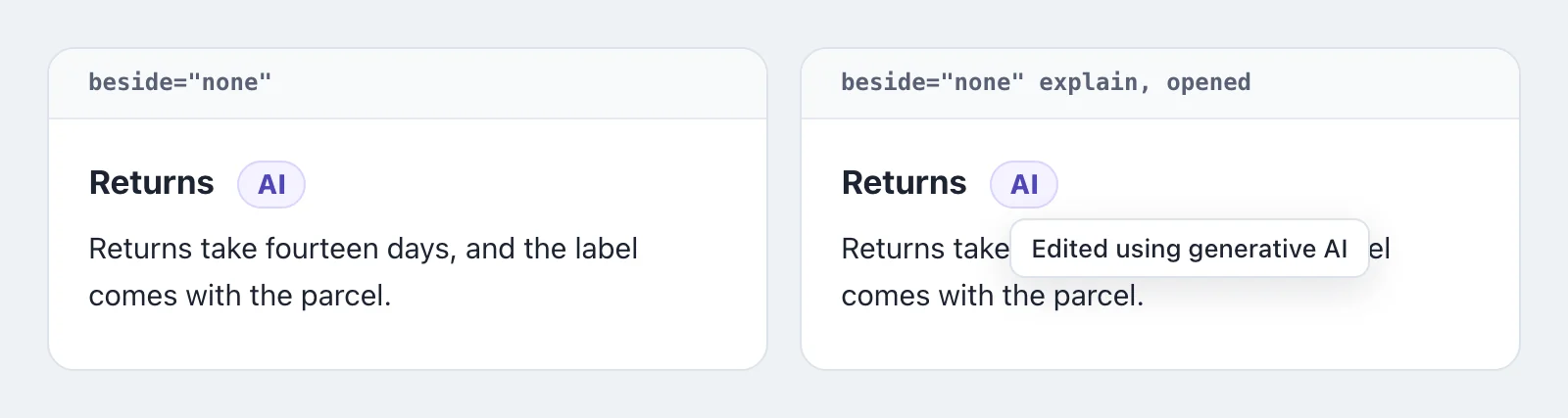
<h3>Returns <x-ai-content-marking::label :marking="$marking" beside="none" /></h3>

<h3>Returns <x-ai-content-marking::label :marking="$marking" beside="none" explain /></h3>
<span class="ai-content-marking-label ai-content-marking-label-explained"><button type="button" class="ai-content-marking-label-acronym" popovertarget="ai-content-marking-explanation-3f9c0a1e" aria-label="Edited using generative AI">AI</button> <span popover id="ai-content-marking-explanation-3f9c0a1e" class="ai-content-marking-label-explanation">Edited using generative AI</span></span>
The explanation is a popover. A click, a touch and the keyboard open it without JavaScript, and
Escape or a click elsewhere closes it. A browser without popovers shows the sentence beside the
acronym. The popover is named after the label's id where you give it one, and form takes the
sentence of a form for the name and the explanation.
The acronym adds to the notice; it does not replace it where a reader meets a result for the first time. What a person has to open first counts for nothing as a notice, so there the sentence stands beside the result, and the explanation is for the places a reader passes again.
The samples give the acronym beside a heading and its explanation this CSS. Where the browser
anchors a popover to the button that opened it, position-area sets the explanation under the
acronym; elsewhere it opens in the middle of the window:
h3 .ai-content-marking-label {
  margin: 0 0 0 8px;
  padding: 2px 9px;
  border: 1px solid #d9d5fb;
  border-radius: 999px;
  background: #f4f2ff;
  color: #4f46b8;
  vertical-align: middle;
}

button.ai-content-marking-label-acronym {
  padding: 0;
  border: 0;
  background: none;
  color: inherit;
  font-family: inherit;
  line-height: inherit;
  cursor: pointer;
}

button.ai-content-marking-label-acronym:focus-visible {
  outline: 2px solid #7c6ff0;
  outline-offset: 4px;
  border-radius: 4px;
}

.ai-content-marking-label-explanation {
  position-area: bottom span-right;
  margin: 8px 0 0;
  padding: 6px 10px;
  border: 1px solid #dde2ea;
  border-radius: 8px;
  background: #fff;
  color: #1d2330;
  font-size: 13px;
  font-weight: 500;
  box-shadow: 0 6px 20px rgba(17, 24, 39, 0.12);
}

.photo .ai-content-marking-label-explanation {
  position-area: bottom span-left;
}
Which markings get one
By default the component renders a notice for the two terms that say generative AI was involved,
trainedAlgorithmicMedia and compositeWithTrainedAlgorithmicMedia. For a marking of any other
term it renders nothing. The list is ai-content-marking.notice.source_types in the
configuration.
The words
The package ships the words for both terms in seven languages, in the locale of the application:
| Locale | trainedAlgorithmicMedia | compositeWithTrainedAlgorithmicMedia |
|---|---|---|
en | Created using generative AI | Edited using generative AI |
de | Mit generativer KI erstellt | Mit generativer KI bearbeitet |
es | Creado con IA generativa | Editado con IA generativa |
fr | Créé avec l'IA générative | Modifié avec l'IA générative |
it | Creato con l'IA generativa | Modificato con l'IA generativa |
nl | Gemaakt met generatieve AI | Bewerkt met generatieve AI |
pt | Criado com IA generativa | Editado com IA generativa |
A regional locale shows the words of its language: pt-BR and pt-PT the pt words, de-AT
the de ones, a region nobody listed included.
The English words are the labels IPTC gives the two terms. To change them, publish the translations
and edit notice.<term> in lang/vendor/ai-content-marking/<locale>/messages.php. Words you
publish for a region, under lang/vendor/ai-content-marking/pt-BR/, win over the language's
term by term:
php artisan vendor:publish --tag=ai-content-marking-lang
A term you add to notice.source_types needs its words there as well. Without them the component
throws an InvalidArgumentException naming the term, rather than show a translation key to your
readers.
Other places, other sentences
The line beside a result is one place a notice stands. Others say something else: where a person starts to work with a system that generates, before anything is sent; in an export that travels without the screen, where the sentence names the model; or about the product rather than one result. A form picks the sentence for such a place:
<x-ai-content-marking::notice :marking="$marking" form="export" />
The sentence of a form stands in your published translations under notice.forms.<form>.<term>,
and the package ships none: what a place has to say is yours to word. A sentence can name the
values of the marking as :generator, :model and :operator:
// lang/vendor/ai-content-marking/en/messages.php
return [
    'notice' => [
        'forms' => [
            'export' => [
                'trainedAlgorithmicMedia' => 'Created by :generator with the model :model, run by :operator.',
            ],
        ],
    ],
];
A form without words for the term throws an InvalidArgumentException that names the key, and so
does a sentence that names a value the marking does not carry, rather than show a sentence with a
gap. Without a form the component shows the line beside a result, as before.
Without the component
Pushery\AiContentMarking\Notice gives the same answers to your own markup. Resolve it from the
container, or type-hint it wherever Laravel injects dependencies: label($marking) returns the
words, or null where no notice is configured for the term, label($marking, form: 'export') the
sentence of a form, and element() returns the configured element.
use Pushery\AiContentMarking\Notice;

$notice = app(Notice::class);

$words = $notice->label($marking);
$element = $notice->element();
Sentences from your own catalog
An application that keeps every text in its own catalog, a JSON catalog where each key is a literal
__() call that an extractor finds, words the sentence itself and lets the package fill it.
fill() takes a sentence that is already translated and gives it the values of the marking, with
the check label() makes: a sentence that names a value the marking does not carry throws an
InvalidArgumentException rather than show a gap. shows() says whether a notice is due for the
marking at all, which is where label() answers null.
use Pushery\AiContentMarking\Notice;

$notice = app(Notice::class);

if ($notice->shows($marking)) {
    $words = $notice->fill(__('Machine-translated with :generator (:model). Review before relying on it.'), $marking);
}
The sentence names the values as :generator, :model and :operator, or capitalized as
:Generator and :GENERATOR, the way a translation writes them. The package's translation files
take no part in it, so the sentence stays in your catalog in every language you translate.
On an image
For an image a model made or changed, the Code of Practice asks for a label whose main element is
the acronym "AI", on the image itself. <x-ai-content-marking::label> renders that label for the
same markings and in the same languages as the notice, with the notice's sentence as the name
assistive technology reads: Labeling images.