Placing the trigger
The built-in floating button is the default. ui.trigger controls it:
fab(default) — the package places the floating button itself.inline— no modal; the form is part of the page (a contact form, say).none— you place the trigger yourself.
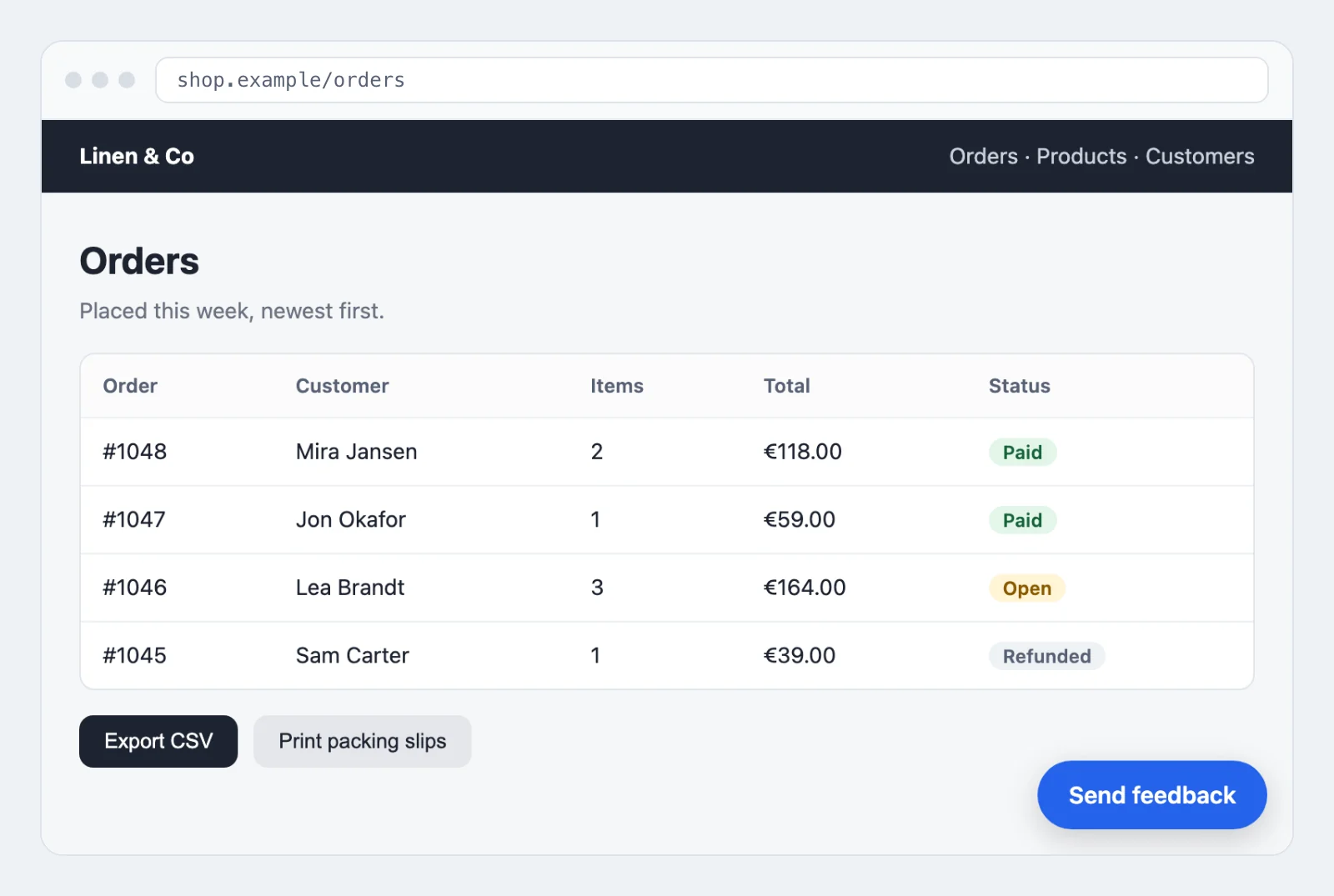
ui.position decides which corner the built-in button sits in: bottom-end (default),
bottom-start, top-end or top-start. The corner is read in the writing direction, so
end is the side a line of text ends on. A left-to-right page puts bottom-end at the bottom
right, and a right-to-left page mirrors it to the bottom left, the way it mirrors the rest of
its layout. Both view trees read it that way, so switching trees never moves the button.
The physical spellings bottom-right, bottom-left, top-right and top-left still work.
Each means its left-to-right corner, so bottom-right is bottom-end: the same place on a
left-to-right page, and mirrored on a right-to-left one. A value that is none of these eight
puts the button in the default corner.
ui.fab_icon picks the glyph on the WireKit tree's floating button. It takes a WireKit icon alias and
defaults to message, because a plus reads as "create something" rather than "give feedback". Set it
to plus for the glyph earlier releases showed. A name WireKit does not declare keeps the plus instead
of failing, and so does a WireKit older than 2.27. The glyph is drawn by your icon set, so without Blade
Icons installed WireKit shows its plus whatever this says. The plain tree's button carries text and
ignores the key.
A mode mount prop overrides this per widget, so one page can carry an inline contact
form and a modal at the same time: <livewire:visual-feedback.report-widget mode="inline" />.
For your own trigger, use the component anywhere on the page:
<x-visual-feedback::trigger class="your-button-class">Report a problem</x-visual-feedback::trigger>
The trigger ships unstyled on purpose. In the plain view tree it renders a bare
<button class="visual-feedback-trigger"> and the bundled stylesheet carries no rule for
that class, so whatever you pass through class is the only styling it has — which is the
point: a trigger sitting in your navigation should wear your buttons, not this package's.
The class stays on the element as a stable hook, so you can target it as well.
Give it your own button styles, and if you have none to hand, give it at least 44×44 CSS px and a 16px font size: with browser defaults alone it renders around 21px tall, which is a hard target to hit on a phone. The WireKit tree needs none of this — its trigger is a WireKit button and inherits your design system's sizes.
If what you want is the floating button but somewhere else in the document — inside a layout that the widget's own position would fight, or on some pages only — the same component the package uses is public:
<x-visual-feedback::fab position="bottom-start" />
It takes position (the values above) and label. In the plain tree a slot replaces the
label as the button's text. In the WireKit tree the button is a round 56 px icon button: a slot
is icon markup, hidden from assistive technology, and the name stays label, so pass words as
label there. Pair
it with ui.trigger=none, or you get two floating buttons: the built-in one renders whenever
the trigger is fab and the widget is in modal mode, and it does not know you placed
another.
Both components render nothing at all while the package is switched off, so a trigger you placed yourself disappears with the rest of it rather than opening an empty dialog — see Abuse protection.
Or open the widget from your own code — any element, any framework. The widget listens for one window event:
<button type="button" id="report-a-problem">Report a problem</button>
// resources/js/app.js, or any script your page already loads
document.getElementById('report-a-problem')?.addEventListener('click', () => {
    window.dispatchEvent(new Event('visual-feedback:open'));
});
The handler is bound in a script rather than written as an onclick attribute, and that is
worth keeping. An inline event handler falls under script-src-attr, which falls back to
script-src — so under any policy without 'unsafe-inline' the attribute is dropped and the
button renders perfectly, looks right, and does nothing when clicked. The same failure as the
one the Integration contract describes for style attributes, one
level up and just as quiet. If your application has no content security policy the attribute
form works fine; this one works either way.
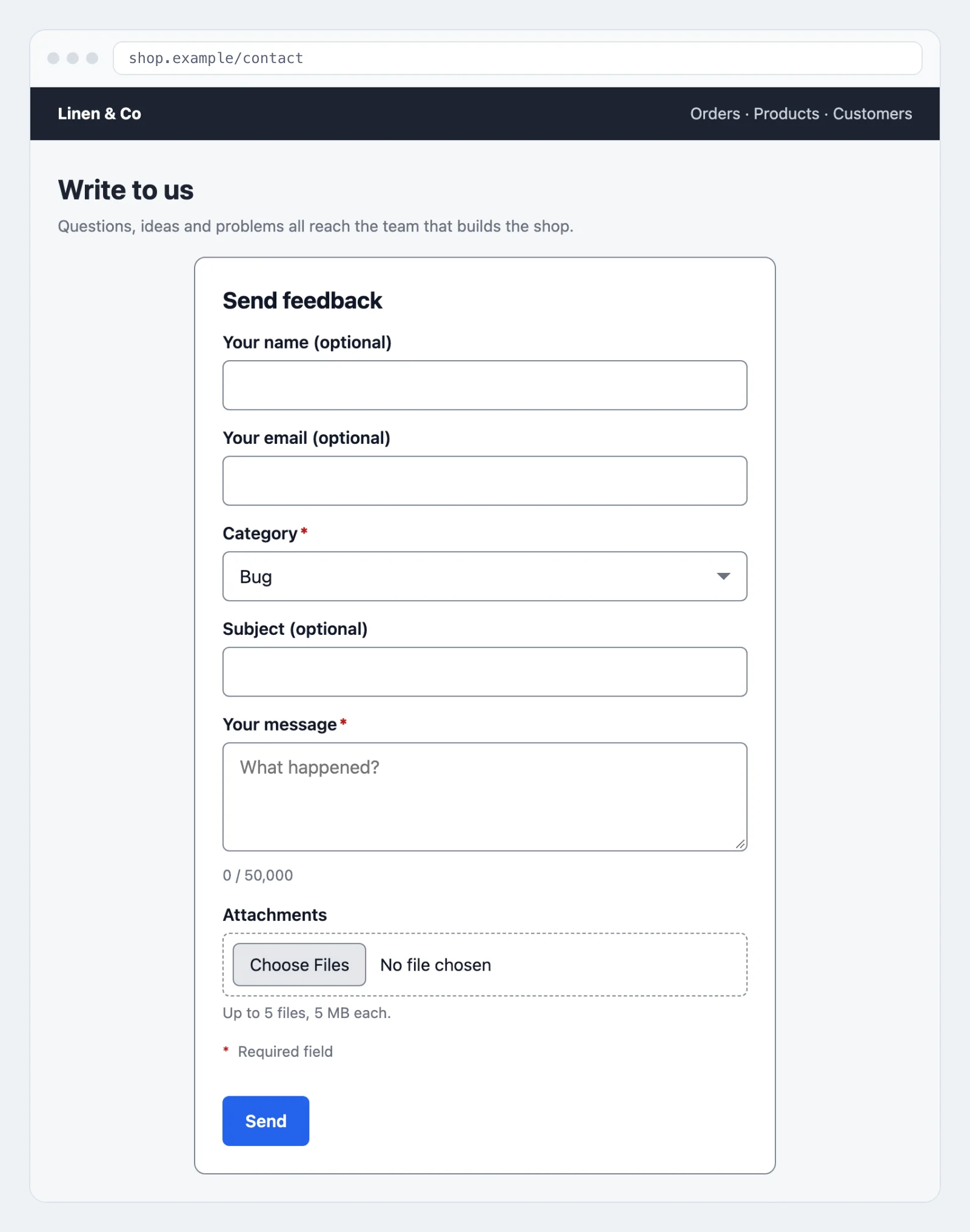
The inline form takes the same component with a mode:
@livewire('visual-feedback.report-widget', ['mode' => 'inline'])
Per-instance mount props
Eight props set one widget apart from the configuration, so a documentation page and a
billing page in the same application can offer different forms. None of them can be
changed or widened by the browser after mount, which is what makes them safe to trust on the
server: categories, context, fields, withScreenshot and notice are sealed at mount and
restored on every request, recipient has to stay an address the configuration permits, mode
stays one the widget can render, and instance stays a name or none.
A request that breaks the seal gets no fallback to the configuration, which would offer every
configured category and turn the capture back on. The widget switches the capture off instead
and refuses to send until the page is reloaded, telling the reporter to copy their message
first. Rotating APP_KEY breaks the seal of every page that is open at the time in the same way.
A request that tries to change a sealed prop leaves a warning in your log, naming the widget and the prop but never the value that arrived. It is written at most once a minute per prop, so a client that repeats the attempt cannot fill your log with it.
| Prop | Type | Default | What it does |
|---|---|---|---|
mode | ?string | from ui.trigger | modal or inline. inline renders the form in the page with no modal |
categories | array | from categories | the category list this widget offers. Empty falls back to the configured list |
context | array | [] | context entries the host attaches to reports from this widget |
fields | array | from fields | the mode of each field, off, optional or required, or the boolean this prop has always taken, e.g. ['subject' => false]. A key here wins over the configuration, in the form and in the validation; an absent key falls back to it. 'signed_in' => true shows signed-in reporters the name, email and phone fields as well, see A contact form beside the feedback widget |
recipient | ?string | from mail.to | where this widget's reports are mailed |
withScreenshot | ?bool | null | null follows the default (capture in modal mode only); false removes the capture from this widget, true adds it |
notice | ?string | null | a sentence of yours above the fields, such as who reads a report and who gets a copy. It is rendered as text, and the dialog names it as its description, so a screen reader reads it when the panel opens |
instance | ?string | null | the name this widget answers to on a page with more than one modal widget, see Two modal widgets on one page |
texts | array | [] | this widget's own words, see A contact form beside the feedback widget |
messageMaxLength | ?int | null | the longest message, at most fields.message.max_length |
rateLimit | ?int | null | reports an hour one reporter may send through widgets of this instance name, on top of the global limits |
urlQuery | ?bool | null | whether a report keeps the query of the page, for a page whose filters are its query; null follows metadata.url_query |
<livewire:visual-feedback.report-widget
    mode="inline"
    :categories="['bug', 'billing']"
    :fields="['subject' => false]"
    :context="[['key' => 'plan', 'label' => 'Plan', 'value' => $team->plan]]"
    recipient="billing@example.com"
    :with-screenshot="false"
/>
The same names work through @livewire(), in their PHP spelling:
@livewire('visual-feedback.report-widget', [
    'mode' => 'inline',
    'categories' => ['bug', 'billing'],
    'recipient' => 'billing@example.com',
    'withScreenshot' => false,
])
Three details that are easy to get wrong:
- The prop is
categories, the property isavailableCategories. Mount takescategories; the component holds the resolved list under the longer name. - A context entry is a plain array with
key,labelandvalue, optionallyurlandidentifier. Entries whose values are not strings are dropped rather than rendered, so a typo here loses the entry silently. For context that should be on every report, use a context provider instead — see Configuration. withScreenshotmay narrow, never widen. Withscreenshot.strategyset tooffthe capture stays off everywhere, whatever a widget asks for.
recipient is visible in the page source
Livewire serializes a component's public properties into a wire:snapshot attribute on the
rendered element, and #[Locked] governs writes, not visibility. So a recipient you
mount is readable by anyone who views the source of that page, and by any crawler that
fetches it.
That is fine for an address you would print in a footer anyway. It is not fine for an internal team alias you would rather not publish. For that case, deliver through your own channel — see Delivery channels — and pick the address on the server, where the browser never sees it.
Two modal widgets on one page
Every trigger opens the widget through the same window event, so a page that carries the
page-wide widget in its layout and a second one with its own context, a project page for
instance, would open both dialogs on one click. Give the second widget a name with instance,
and aim its trigger at it:
<livewire:visual-feedback.report-widget instance="project" :context="$projectContext" />

<x-visual-feedback::trigger instance="project">Report a problem with this project</x-visual-feedback::trigger>
An open event that names an instance opens the widget of that name, and one that names none opens the widget without a name, so the layout's own button keeps opening the layout's widget alone. From your own code, the event carries the name in its detail:
window.dispatchEvent(new CustomEvent('visual-feedback:open', { detail: { instance: 'project' } }));
A name is letters, digits, - and _, up to 64 of them. Anything else is no name, and the widget
then behaves as one without. <x-visual-feedback::fab> and <x-visual-feedback::standalone> take
the same instance. In the WireKit views the modal is named after it, visual-feedback-project,
because the kit opens a modal by name.
On a page without Livewire
The widget above is a Livewire component, and a page served from a shared cache has no session, no
cookie and no CSRF token for it. <x-visual-feedback::standalone /> is the same form for such a
page. It renders from the configuration alone, so the markup is the same for every visitor and the
page stays cacheable, and it sends the report itself, without Livewire.
Register its two routes where no session runs, for example in routes/api.php:
use Pushery\VisualFeedback\Standalone\StandaloneRoutes;

StandaloneRoutes::register(); // GET visual-feedback/standalone/form, POST visual-feedback/standalone/reports
Registering them is the opt-in. register('feedback') moves them under another prefix, and should
they end up inside the web group, the session and CSRF middleware are taken off them again. Then
place the component and keep <x-visual-feedback::scripts /> in the layout, as for the Livewire
widget:
<x-visual-feedback::standalone />
What happens when a visitor opens it:
- The form fetches a token. It holds the moment the form was opened, signed with the
application key, and stands where the Livewire widget keeps that moment in the session. The time
trap counts from it, and the widget waits out
abuse.min_fill_secondsbefore it sends, so a quick reporter is never refused for it. A token stays valid forVISUAL_FEEDBACK_STANDALONE_TOKEN_TTLseconds, 7200 by default; a report sent later asks the reporter to send again, with a fresh token. - The report goes in one request, with its attachments and the screenshot. The capture and the editor are the same as in the Livewire widget, and so are the honeypot, the rate limits and a configured challenge.
- Every reporter is a guest. The form shows the guest fields the configuration enables, and the privacy notice when one is configured.
The component renders nothing while the package is switched off or requires a sign-in, because
neither can be decided for a page that is the same for everybody. It offers the configured form
only: the per-instance props of the Livewire widget need a component that remembers them, and a
cached page has none. The one exception is notice, which needs no remembering: the sentence is
rendered into the page, the same for every visitor, above the fields and named by the dialog as its
description.
<x-visual-feedback::standalone :notice="__('The shop answers you, and a copy goes to the operator of the platform.')" />
While the WireKit tree is served, the component draws the same form with WireKit's controls. A page
without Livewire then takes Alpine from WireKit: set wirekit.scripts.bundle to csp, keep
@wirekitScripts in the layout after <x-visual-feedback::scripts />, and load no Alpine of your
own. That bundle carries Alpine's CSP build, so the page needs no unsafe-eval either.
Reports arrive through the same channels as every other report. To hand them to a system of your own, register a channel of your own, see Delivery channels.
On a page with a nonce-based content security policy, a cached copy carries the nonce of the request
that filled the cache. Serve the bundles by source instead (script-src 'self'), as
Serving the bundles yourself describes.
A contact form beside the feedback widget
One component serves both, with different words and limits. The contact form is an inline widget with a name of its own:
<livewire:visual-feedback.report-widget
    mode="inline"
    instance="contact"
    :categories="['question', 'sales']"
    :texts="[
        'heading' => __('Contact us'),
        'submit' => __('Send message'),
        'success' => __('Thank you, we will get back to you.'),
        'error' => __('Your message could not be sent. Please try again.'),
        'category' => __('Topic'),
        'rate_limited' => __('Please wait :minutes minutes before sending another message.'),
        'challenge_failed' => __('Please confirm again that you are a person.'),
    ]"
    :message-max-length="5000"
    :rate-limit="10"
/>
Every key of texts is optional, and a blank one takes the package's own line. A key the widget
does not know, or a value that is no text, fails at the call site. :minutes in rate_limited is
the time until the pot frees again, rounded up.
messageMaxLength can only lower fields.message.max_length, never raise it. rateLimit opens a
pot of its own for every widget of that instance name, keyed like the built-in limits, by the
signed-in user or the guest's address. It is counted on top of abuse.rate_limit,
abuse.guest_rate_limit and abuse.global_rate_limit, never instead of them, so a widget can only
be stricter than the floor. Every attempt counts, a refused one included, for the reason the
built-in limits count them: otherwise failing attempts would cost the server and nothing else.
The widget seals all three with its other mount props, and its instance name with them, so a
request can change none of them. The sender name and subject under mail.instances and the
analytics names under matomo.instances follow the same sealed name.
Signed-in reporters write to it too. A feedback widget takes a signed-in reporter's name and
address from the account and shows no identity fields. A contact form usually wants them shown, so
somebody can answer from another address or leave a phone number. 'signed_in' => true in the
fields prop shows a signed-in reporter the name, email and phone fields as well, filled from the
account and held to their modes as a guest's are:
<livewire:visual-feedback.report-widget instance="contact" :fields="['phone' => 'optional', 'signed_in' => true]" />
The account stays the reporter, in the stored report and in the webhook payload. A name or an
address changed in the form is where the reply goes: the mail's Reply-To follows it, while
mail.reply_to_reporter is on, and the mail names it under "Reply to". A phone number given there
is stored with the report.